Laboratory Allocation in School Timetable Software
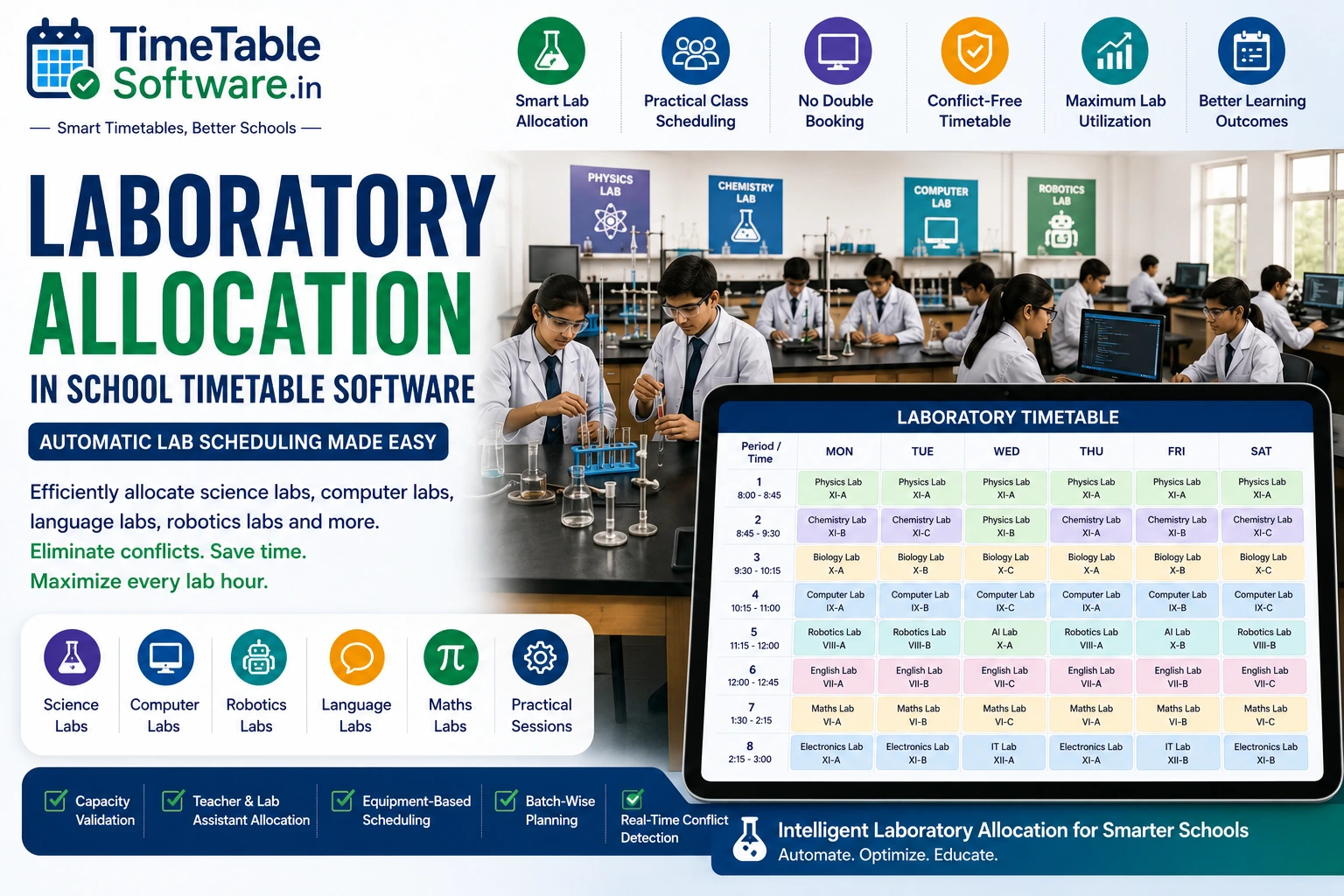
Laboratories are among the most valuable academic resources in every school. Science laboratories, computer laboratories, language laboratories, robotics labs, AI labs, mathematics labs, and innovation centers require careful planning to ensure every practical session receives the correct facilities, equipment, and teaching staff. School Timetable Software automatically allocates laboratories by considering subject requirements, teacher availability, laboratory capacity, student batches, equipment availability, and institutional scheduling rules to generate conflict-free timetables.
What is Laboratory Allocation?
Laboratory Allocation is the process of assigning the appropriate laboratory to practical classes while preventing scheduling conflicts. Instead of manually checking room availability, the timetable engine automatically allocates laboratories and validates all required resources.
Types of Laboratories Supported
Science Laboratories
Supports Physics, Chemistry, and Biology practical laboratory scheduling.
Computer Laboratories
Schedules Computer Science, IT, and Programming laboratories automatically.
Technology Laboratories
Manages Robotics, Artificial Intelligence, STEM, and Electronics laboratories.
Language & Mathematics Labs
Supports English, foreign language, communication skills, mathematics, and vocational training laboratories.
Challenges of Manual Laboratory Scheduling
Managing laboratory sessions manually often creates conflicts because laboratories, teachers, assistants, equipment, and student batches must all be available at the same time.
Features of Laboratory Allocation
Automatic Laboratory Assignment
Selects the correct laboratory automatically based on subject requirements.
Capacity Validation
Checks whether the selected laboratory can accommodate the assigned student batch.
Double & Triple Period Support
Schedules practical sessions requiring consecutive double or triple periods.
Laboratory Assistant Allocation
Assigns laboratory assistants and technicians together with subject teachers.
Benefits of Laboratory Allocation
Ideal For
Why Schools Choose TimeTableSoftware.in
Automatic Laboratory Allocation
Automatically assigns the correct laboratory based on subject requirements.
Science & Computer Lab Scheduling
Supports science, computer, robotics, AI, and language laboratory scheduling.
Batch-wise Practical Scheduling
Automatically divides large classes into practical batches when required.
Laboratory Capacity Validation
Ensures laboratories have sufficient capacity before scheduling practical sessions.
Equipment-Based Scheduling
Allocates laboratories based on required equipment availability.
Laboratory Assistant Allocation
Schedules laboratory assistants and technicians alongside subject teachers.
Automatic Conflict Detection
Prevents laboratory, teacher, student, and equipment scheduling conflicts.
Manual Override
Allows administrators to modify generated laboratory schedules whenever required.
Smart Timetable Generation
Generates balanced, conflict-free laboratory timetables within minutes.
Common Questions
Everything you need to know about this timetable feature.
What is Laboratory Allocation in School Timetable Software?+
Laboratory Allocation automatically assigns laboratories for practical classes based on subject requirements, teacher availability, laboratory capacity, equipment availability, and scheduling rules while preventing conflicts.
Which laboratories can be managed using the software?+
The software supports Physics, Chemistry, Biology, Computer Science, Information Technology, Robotics, Artificial Intelligence, Language, Mathematics, Electronics, STEM Innovation, Vocational Training, and custom laboratories.
Can multiple laboratories operate simultaneously?+
Yes. Multiple laboratories can run simultaneously provided each laboratory has separate resources and available teaching staff. The software automatically prevents duplicate laboratory bookings.
Can practical classes be scheduled as double or triple periods?+
Yes. Schools can configure practical sessions requiring double periods, triple periods, or even half-day laboratory blocks based on curriculum requirements.
Can laboratory assistants and technicians be assigned automatically?+
Yes. Laboratory assistants and technicians can be assigned together with subject teachers, and their availability is validated before timetable generation.
Can the software handle batch-wise practical sessions?+
Yes. When laboratory capacity is limited, the software automatically divides students into batches while ensuring efficient utilization of laboratories and teaching staff.
Can one laboratory be shared by different classes?+
Yes. A laboratory can be shared across multiple classes throughout the week while ensuring only one class occupies it during any timetable period.
Is Laboratory Allocation suitable for all school boards?+
Yes. It supports CBSE, ICSE, State Board, Government, Government Aided, Matriculation, Higher Secondary, International Schools, Colleges, Polytechnic Institutions, and Vocational Training Institutes.
How does the software prevent laboratory booking conflicts?+
The scheduling engine validates laboratory availability, teacher schedules, laboratory assistant availability, equipment requirements, student timetables, and existing bookings before allocating laboratories.
How does Laboratory Allocation improve school operations?+
It reduces manual scheduling effort, maximizes laboratory utilization, supports batch-wise practical sessions, prevents booking conflicts, and generates accurate conflict-free timetables.
Final Thoughts
Laboratory Allocation is an essential capability of modern School Timetable Software. By intelligently managing laboratories, teachers, laboratory assistants, equipment, and student batches, schools can automate practical scheduling, eliminate booking conflicts, maximize laboratory utilization, and generate accurate, balanced, conflict-free timetables for every academic session.
Continue Reading
Explore more guides about school timetable software features.
Teacher Availability Management in School Timetable Software | Complete Guide
Learn how teacher availability management helps schools generate conflict-free timetables while respecting teacher schedules.
Part-Time Teacher Management in School Timetable Software | Complete Guide
Manage part-time teachers efficiently using timetable software with subject and availability constraints.
Combined Subject Scheduling in School Timetable Software: A Complete Guide for Indian Schools
Understand combined subject scheduling and how timetable software automates it.
Combined Teacher Scheduling in School Timetable Software: Complete Guide for Indian Schools
Learn how combined teacher scheduling works in automated timetable software.
Combined Class Scheduling in School Timetable Software: Complete Guide for Indian Schools
Learn how combined classes are managed in modern timetable software.
Double Period Scheduling in School Timetable Software: Complete Guide for Indian Schools
Automatically schedule double periods without conflicts.
Subject Distribution in School Timetable Software: Complete Guide for Indian Schools
Balanced subject distribution across the week using AI timetable generation.
No Gaps Rule in School Timetable Software: Complete Guide for Indian Schools
Generate timetables with no unnecessary gaps for teachers.
Conflict Detection Engine in School Timetable Software: Complete Guide for Indian Schools
Prevent teacher, classroom and laboratory conflicts automatically.
Manual Override in School Timetable Software: Complete Guide for Indian Schools
Modify generated timetables manually while maintaining consistency.
Automatic Substitute Teacher Scheduling in School Timetable Software: Complete Guide for Indian Schools
Automate substitute teacher allocation instantly.
Class Teacher Uniform Period in School Timetable Software: Complete Guide for Indian Schools
Allocate common periods for class teachers efficiently.
Principal / Vice Principal Uniform Free Periods in School Timetable Software: Complete Guide for Indian Schools
Reserve uniform free periods for school administration.
Conditional P.T. Periods in School Timetable Software: Complete Guide for Indian Schools
Configure PT periods using advanced timetable rules.
Equal Distribution of Working Periods in Both Sessions: Complete Guide for School Timetable Software
Balance teacher workload across morning and afternoon sessions.
Fixed Practical Periods in School Timetable Software: Complete Guide for Indian Schools
Schedule practical sessions at fixed periods automatically.
External Teacher Periods in School Timetable Software: Complete Guide for Indian Schools
Manage visiting and external teachers efficiently.
Free Period Equal Distribution in Both Sessions: Complete Guide for School Timetable Software
Distribute teacher free periods equally throughout the day.
No Continuous Working Load in School Timetable Software: Complete Guide for Indian Schools
Prevent continuous teaching load using timetable constraints.
Timetable Reports in School Timetable Software: Complete Guide for Indian Schools
Generate printable teacher, class and school timetable reports.